Less repetitive administration
Reduce repeated entry, manual notifications and routine handoffs between people.

Simplify requests, planning and approvals with the Microsoft tools your business uses.
DVG Soft develops Power Apps, SharePoint solutions and Power Automate workflows that reduce repetitive administration and keep work moving. Hire us to turn an email-and-spreadsheet process into a connected system with clearer responsibility and status.
 Microsoft 365
 Power Automate
 SharePoint
 Outlook
Reduce repeated entry, manual notifications and routine handoffs between people.
Make it easier to see who is responsible for a request, assignment or review.
Keep operational records and current status available to the people who need them.
Whether you are coordinating staff duties, collecting requests or organising finance documents, the aim is a system people can use every day. We bring intake, records and communication together so staff have a clear way to submit work and managers have a useful view of its progress.
Practical apps for staff requests, operational records, duty planning and attendance.
Notifications, approvals, document routing and scheduled actions connected to your business process.
Structured lists, document libraries and views that support the way your team works.
Update existing flows, simplify administration and help owners manage ongoing changes.
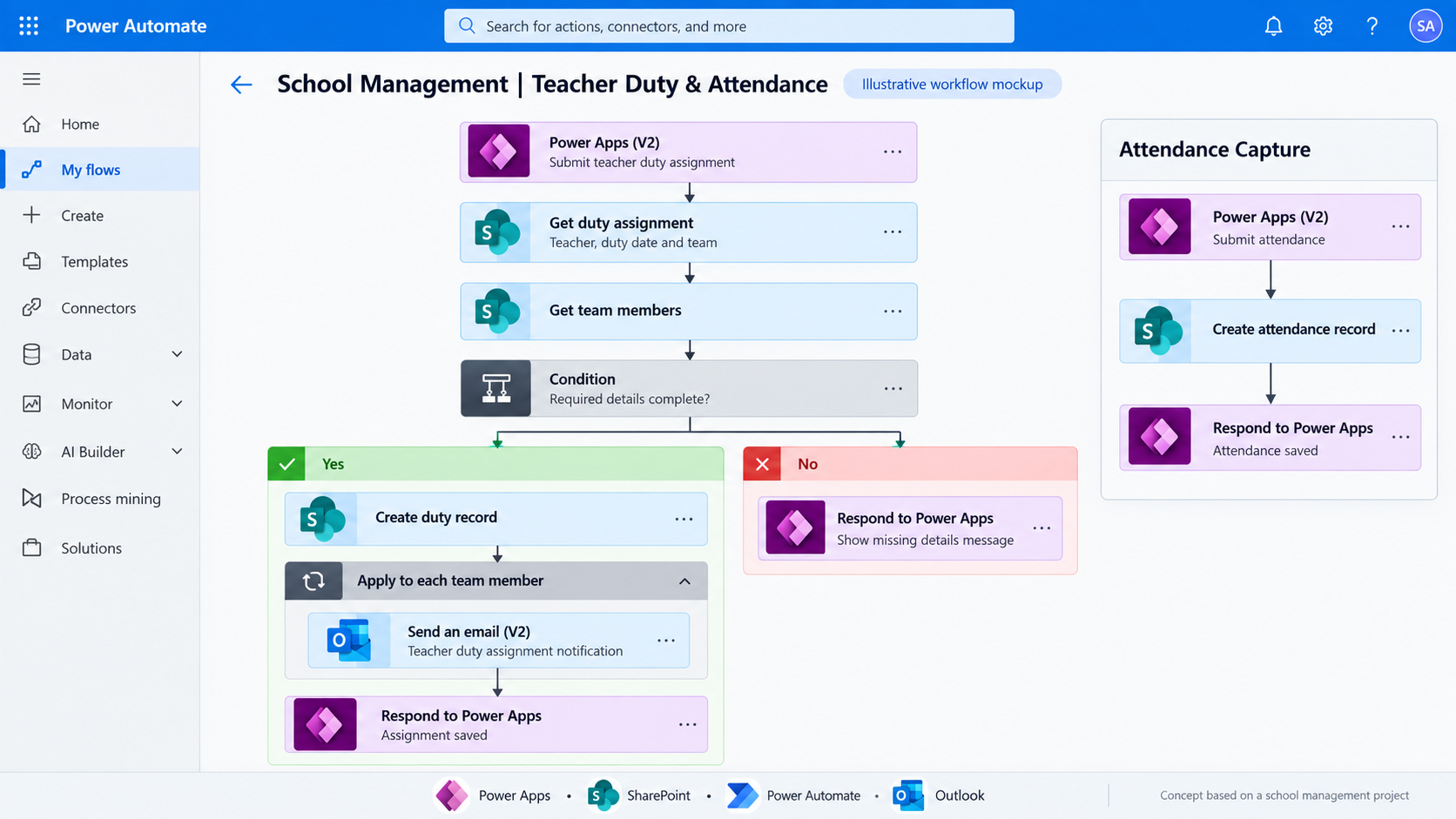
Our school management work covers advance teacher duty planning, team email notifications and attendance. The illustrative screen below explains the type of connected operational system we can build.
Explore This Work → School Duty & Attendance Management
A concept based on school management work, connecting advance planning, team notifications and attendance capture.
An illustrative finance intake pattern for organising invoice attachments and preparing a SharePoint review register.
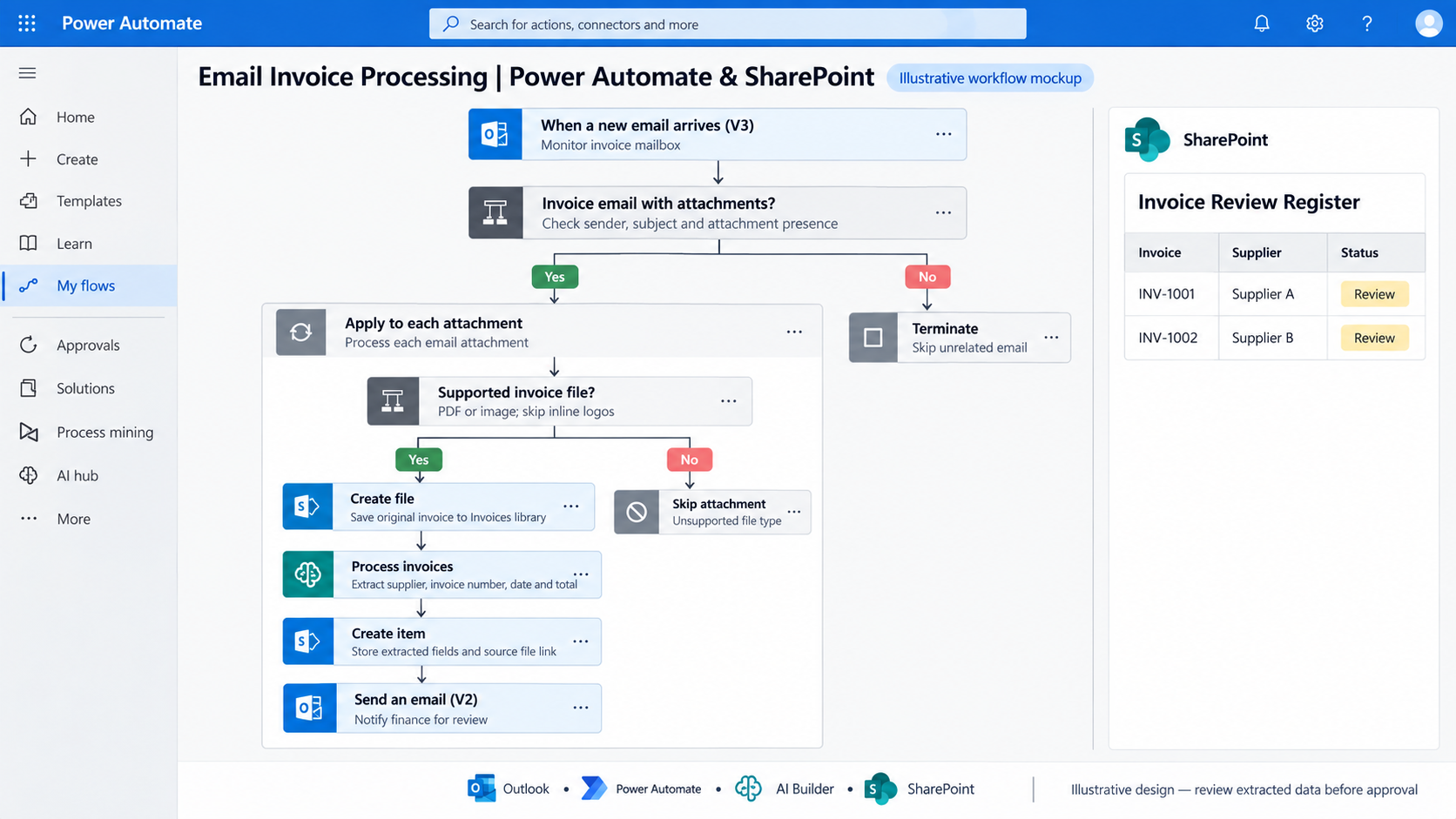
Illustrative screens: open a preview for the original resolution.
Yes. Share the workbook and explain who submits, reviews and updates each record so we can scope a suitable solution.
That depends on the apps, connectors and AI features. We review licensing requirements before the build is agreed.
We’ll help identify a useful first automation and the Microsoft 365 services needed to deliver it.
Discuss Your Project →